Automating Jira ticket creation and correction with n8n and AI
Objective Link to heading
Automate the creation and correction of Jira tickets via AI for simple tasks.
In my daily work, I handle many Jira tickets, often for simple tasks: minor fixes, text adjustments, small front-end bugs… The idea of this project was therefore to automate the proposal of fixes via AI for this type of less complex requests.
I wanted to see how far I could go by combining no-code tools and language models, without heavy code or complex infrastructure.
Tools used Link to heading
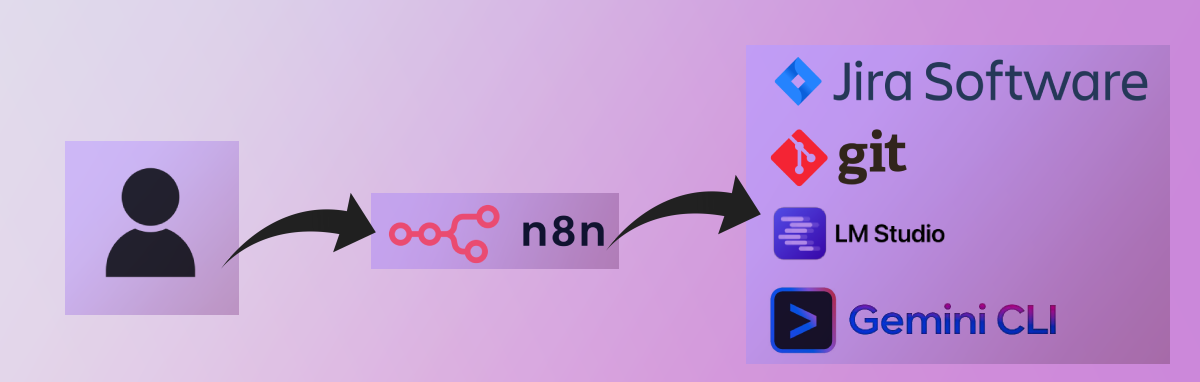
- n8n — to orchestrate automations.
- Jira — as source and destination for tickets.
- LLM Studio — to locally host small language models (LLM), without having to pay a provider
- Gemini CLI — to generate code and test prompts.
- Git — to version and track process evolutions.
Setting up the workflow Link to heading
It was my first experience with n8n, and getting started was quick. In a few hours, I already had a functional process close to what I use at work.
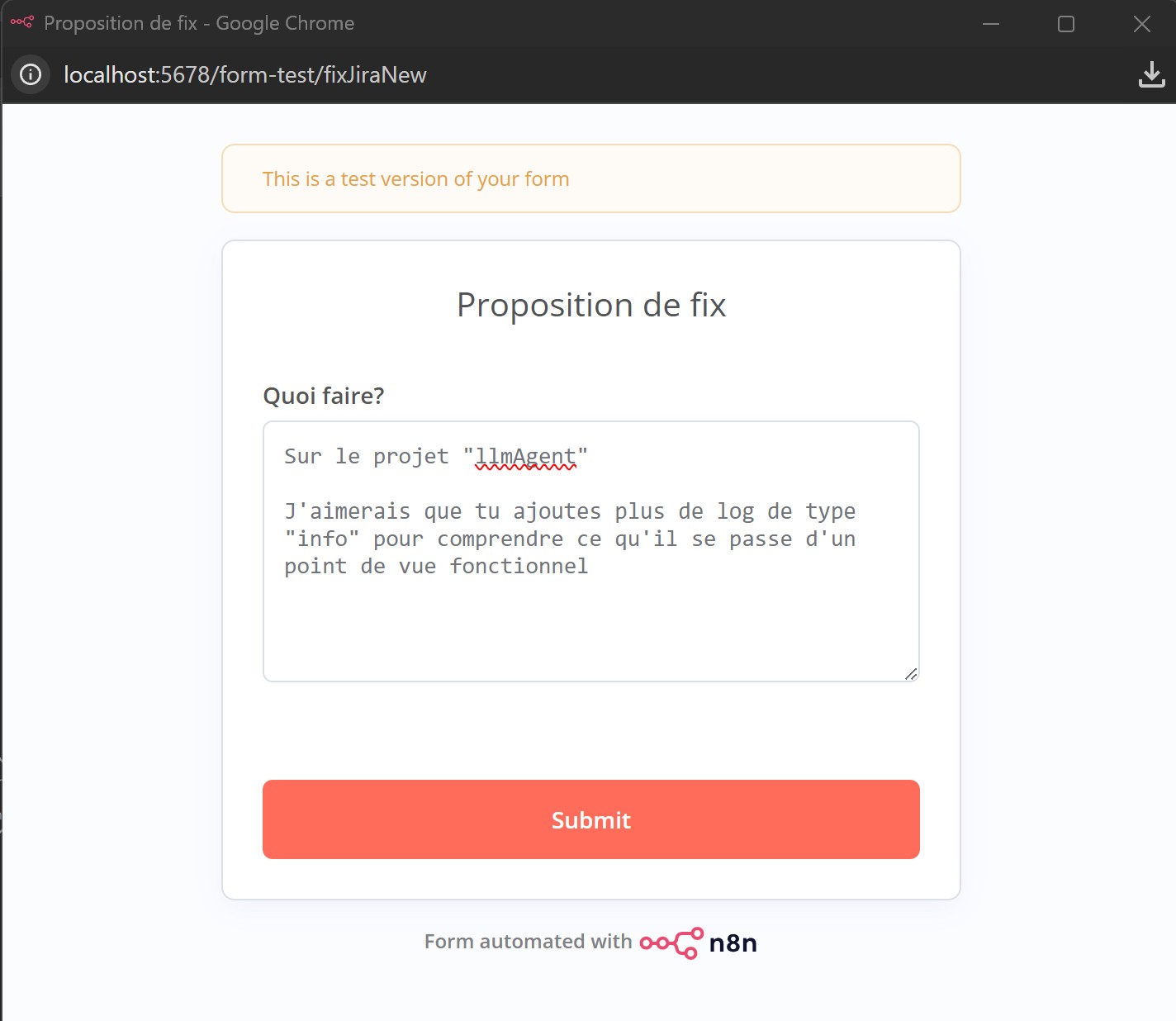
Input form:
n8n workflow diagram (to look at closely):
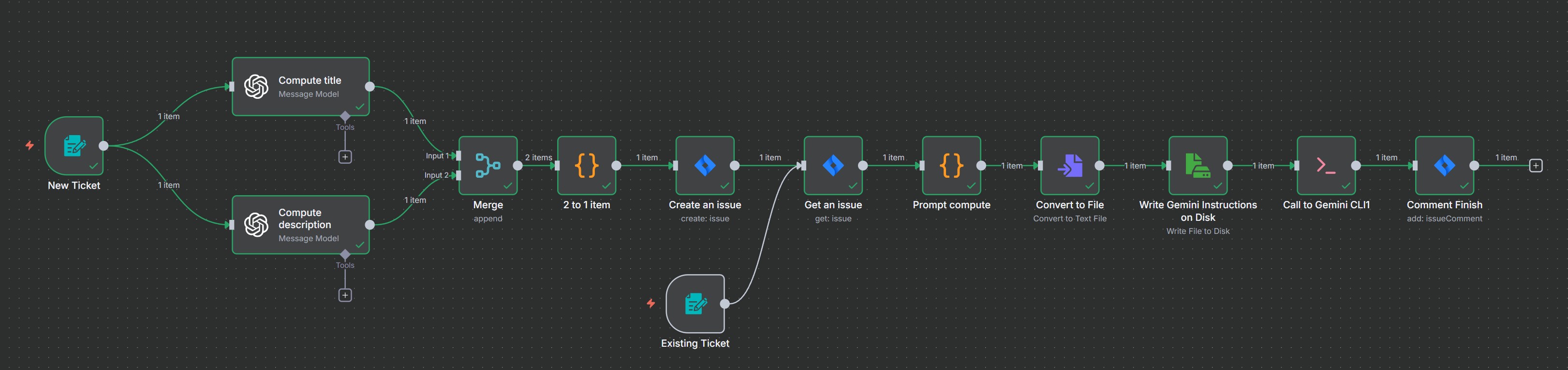
The workflow is built around two inputs:
- Creating a new Jira ticket - from a form.
- Analysis and correction of an existing ticket - from a form
The processing steps are:
- Reformulate the need in fields for Jira
- Create the Jira ticket
- Retrieve it
- Calculate the prompt for Gemini CLI
- Call Gemini
- Add a comment in Jira, to indicate that a first version has been made
n8n allowed me to visualize, test and debug each step very simply. I could see which variables were available and adjust the flow on the fly.
Results and impressions Link to heading
- ✅ Functional workflow, the ticket and fix proposal is present.
- ✅ Fluid and intuitive configuration thanks to pre-integrated blocks.
- ✅ Process easily debuggable and scalable.
- ❌ Some limitations on certain integrations (notably Teams).
- ❌ I run
gemini --yolowhich gives full powers to Gemini on commands, which is not ideal.
Overall, n8n allows translating human actions into clear automations, close to natural language. It’s an excellent tool for prototyping AI workflows without getting lost in code.
What’s next? Link to heading
I plan to continue exploring:
- Improving the blocks of this process.
- Automating other daily scenarios.
- Public workflows from the n8n community: https://n8n.io/workflows/
Conclusion Link to heading
This experience confirms that tools like n8n, combined with small AI models, open the way to accessible and customizable automation. With a bit of curiosity and some testing, we can transform a repetitive routine into an efficient automated flow.